


Say it here, see it there
You are three rooms away from the desk. Or in a hotel two days from home, or standing in somebody else’s kitchen. A name comes up in conversation and you want it on the screen — not eventually, not when you get back. Now.
Ask your watch, your iPhone, your iPad, or the Mac in front of you:
“Hey Siri, ChartRemotely Palantir Swing mac-mini”
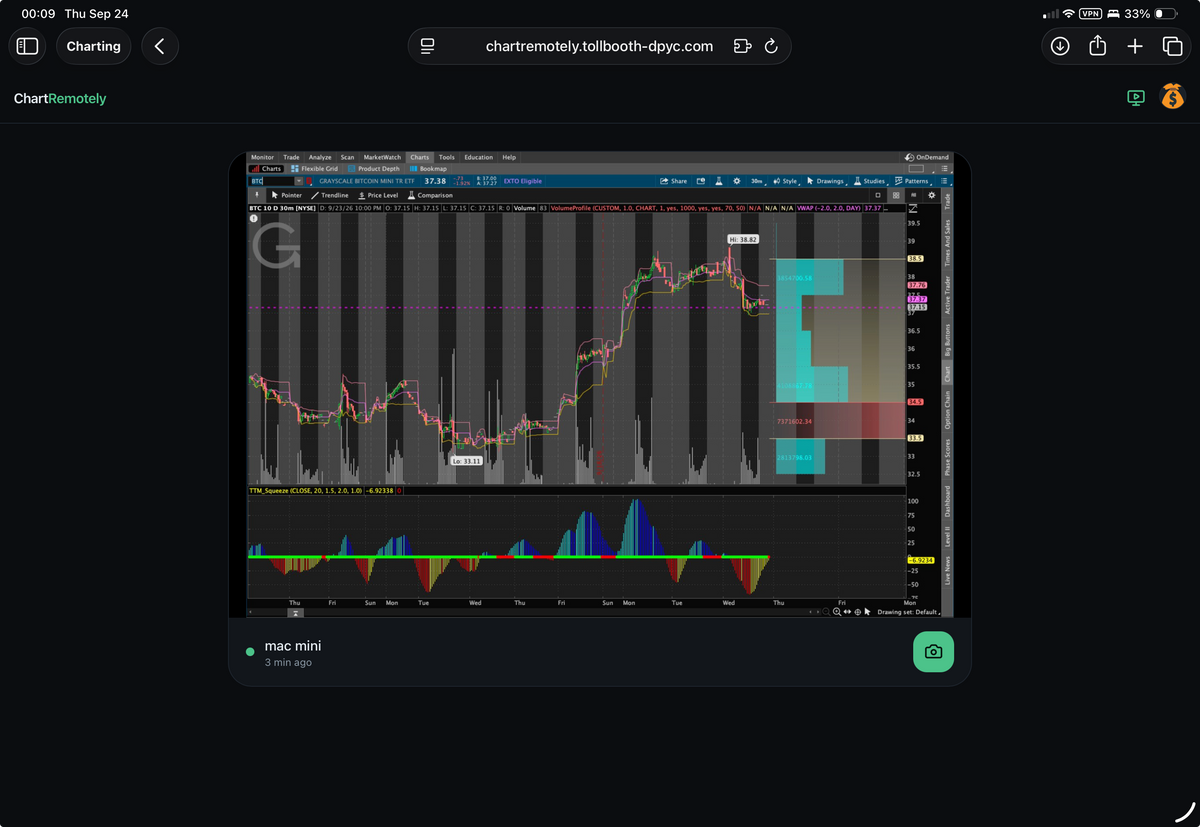
From anywhere in the network-connected world, the thinkorswim on that display charts the security you asked for (PLTR) at the scale you chose (180d 4h). Walk back into the room and it is already up on the wall, readable from the doorway.
Or stay where you are. The ChartRemotely site, under your account, caches a copy of that screen at the same moment, minus your account information. Walk to the monitor you wanted the chart on, or grab the snapshot from the website.
The snapshot is the part people underestimate. A chart on a monitor is worth something to whoever is standing in front of it. A chart in a file is worth something to everyone else — the pitch deck, the post, the person who asked the question. A screen you were nowhere near has produced something you can actually use.
It shows charts. That is the whole job, which is exactly why you can let a voice assistant near it.
Name the machine and you reach it
Notice that the command ends in mac-mini. Pair as many Macs as you like — the office, the den, the trading desk at the other property, a machine a colleague runs — and reach any of them by name from wherever you happen to be standing. Anywhere you have an authenticated thinkorswim session and a running agent is a screen you can drive. Ask several, then look at the captures side by side.
Getting started takes a few minutes
Run the Shortcut once and it installs itself. It sets up the pairing, takes the short code, and leaves you with a voice command that works, handling the configuration, the port and the certificate on your behalf.
Being a modern agentic MCP, it drives just as well from Claude, from Grok, or from any MCP client you like. An assistant already reasoning about a position can put the chart up without being asked twice.
A small agent on the Mac does the work. It dials out rather than listening, so your network stays closed, and you pair it to your Nostr identity with a short code.
Metered per call from a pre-funded Lightning balance, like everything else in the Tollbooth DPYC™ fleet.
Don’t just HODL Bitcoin. Earn it.
At a glance
🗣️ Voice from iPad, iPhone, Watch or Mac — or from any MCP client
🖥️ Pair as many Macs as you like and reach any of them by name
📸 Every change caches a snapshot under your account, minus account information
⏱️ One Shortcut installs itself, pairing and all
🌐 In English, Français, Español, हिन्दी, 日本語 and 中文
🔌 Built on FastMCP and hosted on Prefect Horizon — streamable HTTP
🔓 Apache 2.0 top to bottom, agent and operator both
🔑 A Nostr npub proof signs you in, and your broker credentials stay on your own Mac
⚡ Any Lightning wallet. Wallet of Satoshi for reliability
Links
 GitHub: lonniev/ChartRemotely-mcp — operator and site GitHub: lonniev/ChartRemotely-agent — the Mac agent
🔌 Connect: chartremotely-mcp.fastmcp.app/mcp
👀 ChartRemotely


